Doom 4 Performance Problems

Recommended Videos

demoman_chaos

New member
May 25, 2009
2,254
0
0
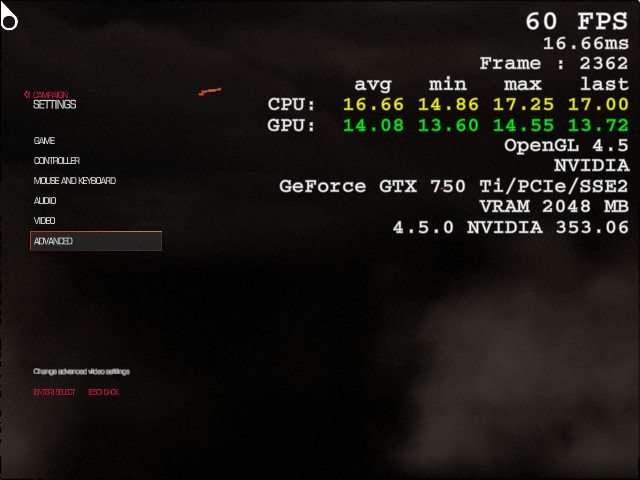
Just got Doom 4 downloaded and the damn thing was chugging with less than 5 frames per second. I can only get stable performance when sporting a whole 640x480 resolution with all settings (including Resolution scaling) to the very minimum. This means Quake 2 puts the game's graphics to shame:
[/img]http://images.akamai.steamusercontent.com/ugc/275095970491322858/CB3957AC0AB4CBCE12E2413B1ADA8D2C4D658C15/[/img]

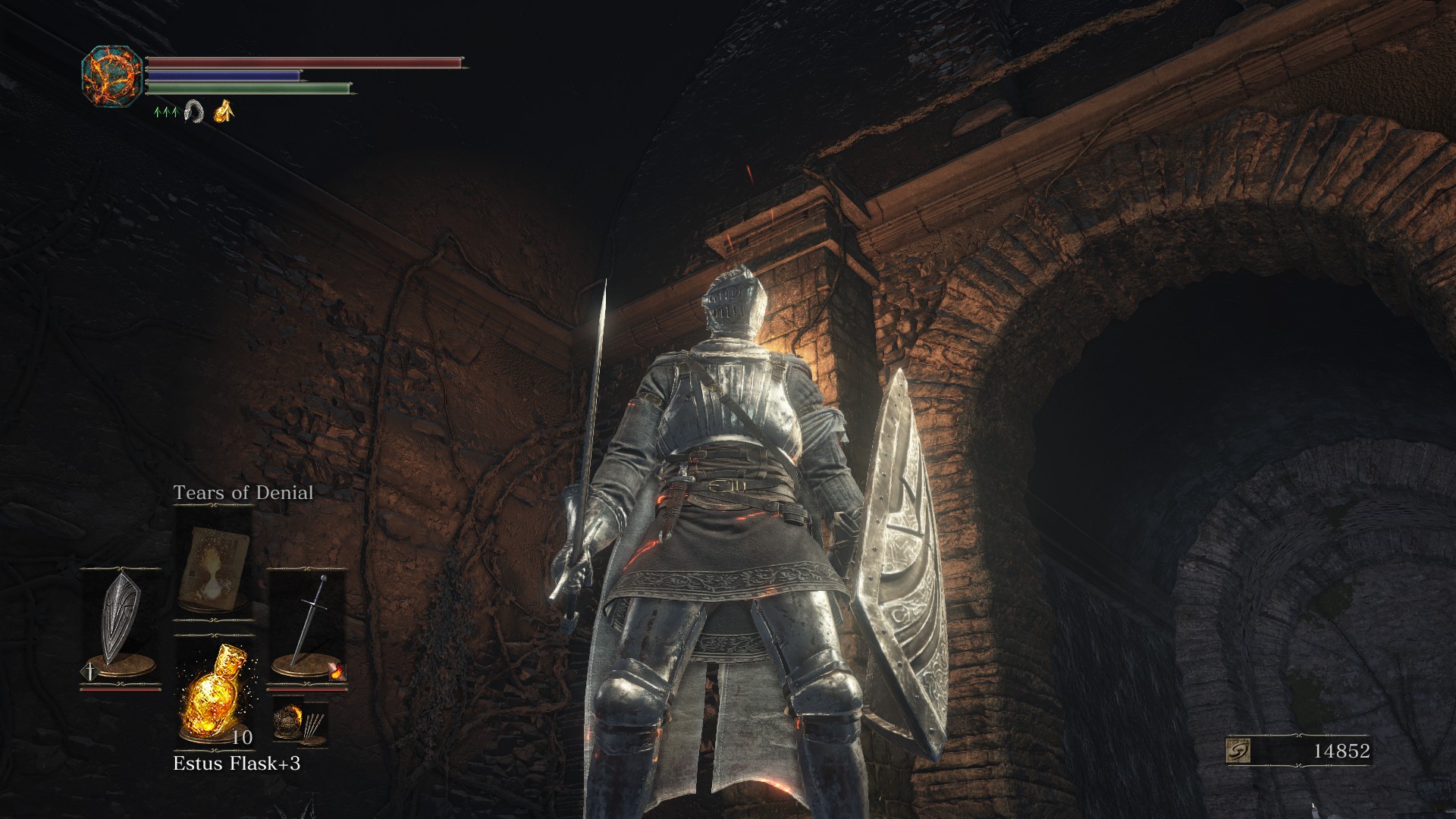
In contrast, Dark Souls 3 runs on high while Chrome is playing some youtube stuff on my second monitor without even a stutter.
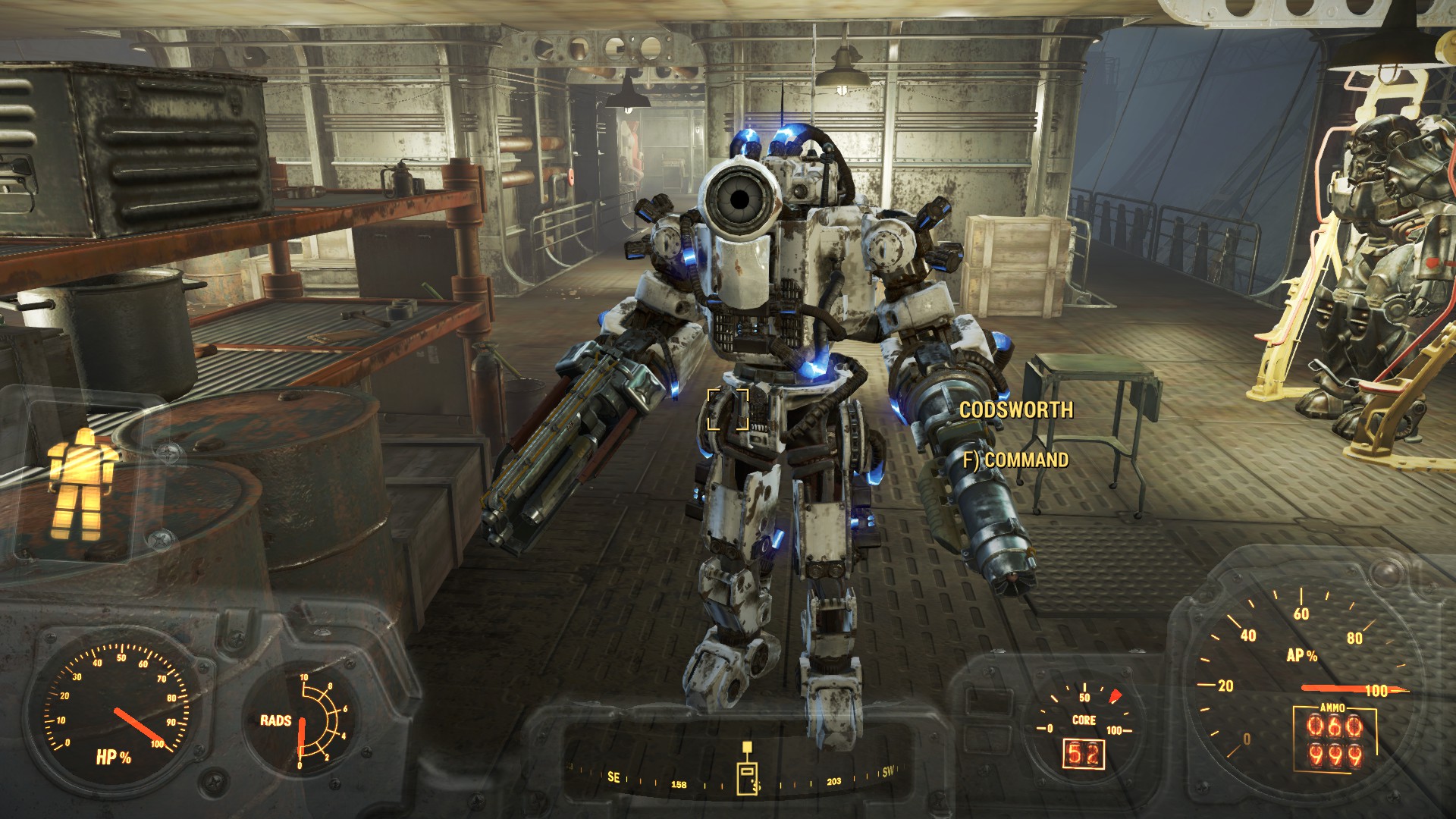
Fallout 4 meanwhile runs perfectly fine as well:
My rig has AMD FX-8350 (4.0 ghz 8-core processor), 32 GB RAM, and an nVidia GeForce GTX 750 Ti GPU.

Anyone have any idea why Doom 4 has to look uglier than Quake 1?
 

SweetShark

Shark Girls are my Waifus
Jan 9, 2012
5,147
0
0
Sadly the company admit it they didn't test it properly with AMD card, so they are still trying fix this major problem with Patches. I can only suggest you to download the new update on steam. Maybe rhjs fix your problem.
Btw I had the same problem with you bu fix it by putting more ram.
 

Chimpzy_v1legacy

Warning! Contains bananas!
Jun 21, 2009
4,786
1
0
Have you updated your gpu drivers recently?

I know a lot of people running Nvidia cards were having trouble with Doom and in response, Nvidia released new drivers shortly after the game's release.

I don't know if this will fix your problem, but it's worth a shot.
 

mad825

New member
Mar 28, 2010
3,379
0
0
Omg. Your GPU drivers is over a year old......No wonder it bad. Like seriously update your drivers. The current version is 365.19
SweetShark said:
Sadly the company admit it they didn't test it properly with AMD card, so they are still trying fix this major problem with Patches. I can only suggest you to download the new update on steam. Maybe rhjs fix your problem.
Btw I had the same problem with you bu fix it by putting more ram.
He's using a AMD CPU and Nvida GPU
 

MHR

New member
Apr 3, 2010
939
0
0
My comp is below minimum specs, but I can keep >30 FPS by lowering the resolution to tiny and lowering all graphics settings to dirt.

Drivers have to be updated. The starting sequence was a slideshow before the driver update.
 

Mcgeezaks

The biggest boss
Dec 31, 2009
864
0
21
Sweden
Country
Sweden
Gender
Male
Like previously said, update your drivers. Your GPU is also below the minimum specs.
 

SweetShark

Shark Girls are my Waifus
Jan 9, 2012
5,147
0
0
mad825 said:
Omg. Your GPU drivers is over a year old......No wonder it bad. Like seriously update your drivers. The current version is 365.19
SweetShark said:
Sadly the company admit it they didn't test it properly with AMD card, so they are still trying fix this major problem with Patches. I can only suggest you to download the new update on steam. Maybe rhjs fix your problem.
Btw I had the same problem with you bu fix it by putting more ram.
He's using a AMD CPU and Nvida GPU
That why also I said I solved my problem by putting new ram.
 

KaraFang

New member
Aug 3, 2015
197
0
0
BabyfartsMcgeezaks said:
Like previously said, update your drivers. Your GPU is also below the minimum specs.
I agree the GPU drivers need updating. That's frankly awful... so many fixes and speed increases on the new drivers. So, try that.

Having checked some stats on GPU benchmarks, the card you are using is NOT under the minimum specs, which is a 2 gig 670. You'd need to have everything on min settings, but it should certainly run above 16FPS.

Try updating the drivers. If that doesn't work, yank the 750 as this card in:

AMD FX-8350 (4.0 ghz 8-core processor)#
32 GB RAM
makes no damn sense... it's like putting a 1 litre car engine into a Ferrari.
 

JUMBO PALACE

Elite Member
Legacy
Jun 17, 2009
3,552
7
43
Country
USA
I've run into a strange problem maybe 3 times with Doom. My 770 runs the game on mostly high settings at 50-80 fps but occasionally the game will just decide to start chugging at sub 20fps. It always fixes itself with a restart so I'm not sure what the deal with that is. And again, it's only happened in a couple instances in the dozen or so hours I've played it.

Computers are weird.
 

chrissx2

New member
Sep 15, 2008
194
0
0
The game ran like crap on my GF750 at work. I had to put everything on min and rez at 720p to get a smooth framerate and yes, the new drivers helps a lot!
 

demoman_chaos

New member
May 25, 2009
2,254
0
0
https://www.reddit.com/r/Doom/comments/4ctag8/psa_no_really_doom_beta_is_not_compatible_with/

Seems Doom 4 just doesn't like my card, for no explainable reason.
 

ZCAB

Regular Member
Jan 15, 2013
81
0
11
Country
Netherlands
demoman_chaos said:
https://www.reddit.com/r/Doom/comments/4ctag8/psa_no_really_doom_beta_is_not_compatible_with/

Seems Doom 4 just doesn't like my card, for no explainable reason.
That's a month old message that applies specifically to the beta. A quick search on Youtube gives you tons of videos of the full post-release game running at playable framerates on 750 Tis.

You could at least update your drivers first. Being surprised at a brand new game running poorly on year old drivers is a bit silly. Maybe if that doesn't work, we can start looking for a less obvious culprit.
 

demoman_chaos

New member
May 25, 2009
2,254
0
0
ZCAB said:
That's a month old message that applies specifically to the beta. A quick search on Youtube gives you tons of videos of the full post-release game running at playable framerates on 750 Tis.

You could at least update your drivers first. Being surprised at a brand new game running poorly on year old drivers is a bit silly. Maybe if that doesn't work, we can start looking for a less obvious culprit.
Been trying, but for no fucking reason the damn nVidia thing says "Unable to connect to nVidia" every time I try to click the "download update" button.
 

ZCAB

Regular Member
Jan 15, 2013
81
0
11
Country
Netherlands
demoman_chaos said:
ZCAB said:
That's a month old message that applies specifically to the beta. A quick search on Youtube gives you tons of videos of the full post-release game running at playable framerates on 750 Tis.

You could at least update your drivers first. Being surprised at a brand new game running poorly on year old drivers is a bit silly. Maybe if that doesn't work, we can start looking for a less obvious culprit.
Been trying, but for no fucking reason the damn nVidia thing says "Unable to connect to nVidia" every time I try to click the "download update" button.
You could just download the drivers directly from Nvidia's site.
 

JUMBO PALACE

Elite Member
Legacy
Jun 17, 2009
3,552
7
43
Country
USA
ZCAB said:
demoman_chaos said:
ZCAB said:
That's a month old message that applies specifically to the beta. A quick search on Youtube gives you tons of videos of the full post-release game running at playable framerates on 750 Tis.

You could at least update your drivers first. Being surprised at a brand new game running poorly on year old drivers is a bit silly. Maybe if that doesn't work, we can start looking for a less obvious culprit.
Been trying, but for no fucking reason the damn nVidia thing says "Unable to connect to nVidia" every time I try to click the "download update" button.
You could just download the drivers directly from Nvidia's site.
Or uninstall and reinstall Geforce experience if the OP wants to give that a shot. We can't do it for you.
 

demoman_chaos

New member
May 25, 2009
2,254
0
0
ZCAB said:
demoman_chaos said:
You could just download the drivers directly from Nvidia's site.
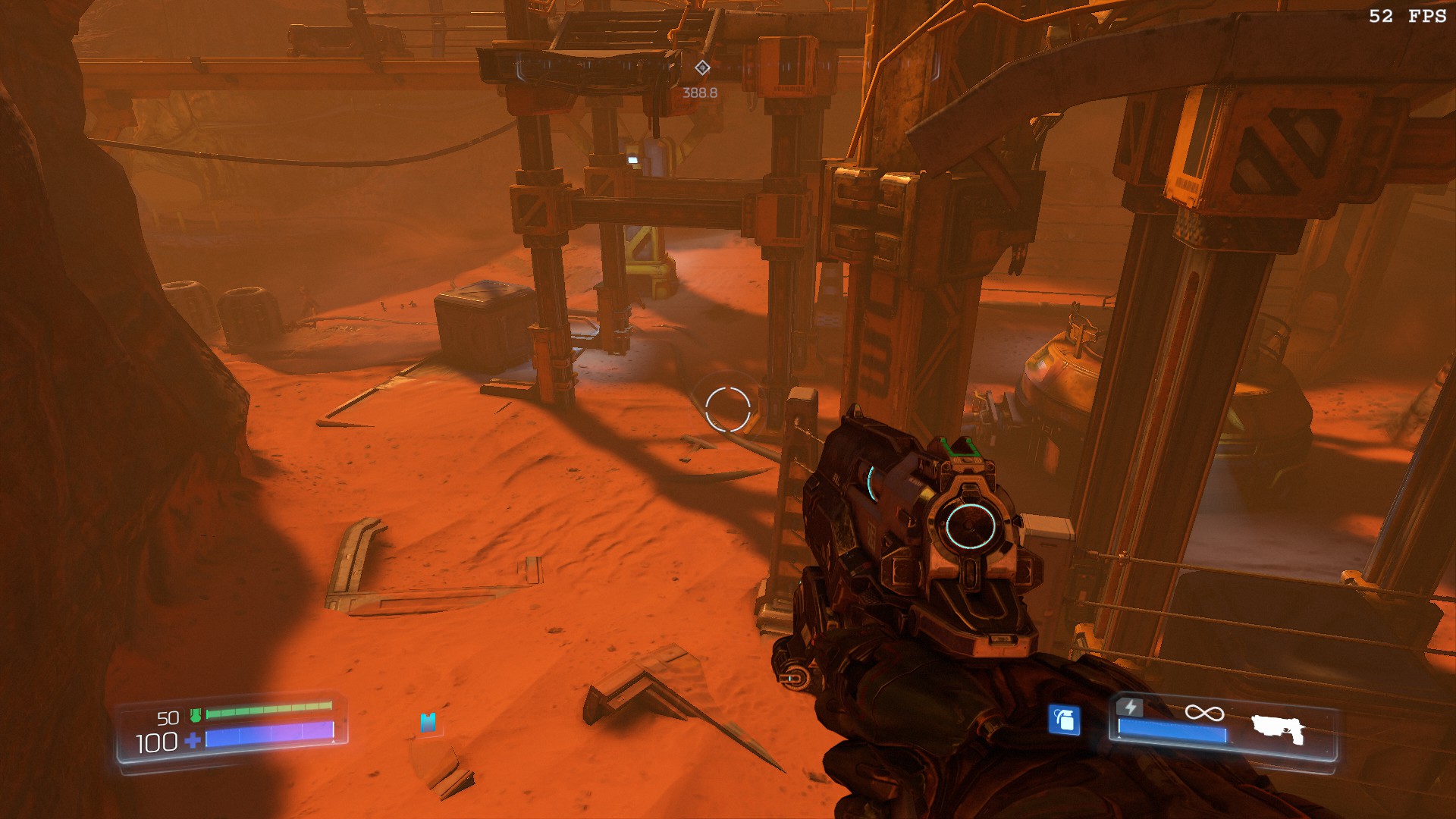
Got it downloaded, fiddled a bit with some other fixes (like reminding the game it can use all my 8 processor cores, I have them for a reason after all), and now the game looks like this:

Quite an improvement.
 

mad825

New member
Mar 28, 2010
3,379
0
0
demoman_chaos said:
Got it downloaded, fiddled a bit with some other fixes (like reminding the game it can use all my 8 processor cores, I have them for a reason after all)
Erm, what?

Perhaps in future you might do well by not trying to fiddle with the system settings too much.
 

demoman_chaos

New member
May 25, 2009
2,254
0
0
mad825 said:
Erm, what?

Perhaps in future you might do well by not trying to fiddle with the system settings too much.
I actually do well with setting fiddling most of the time. The main issue was outdated drivers I think.