
Help with jpeg artifacts

Recommended Videos

Jonluw

New member
May 23, 2010
7,243
0
0
Hiya escapists.

Original problem resolved.
New problem:

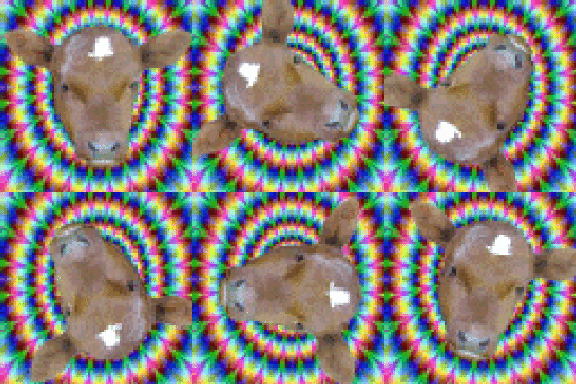
In my attempts to create an image that would not get littered with artifacts, I've ended up with a competitor for the original, and now I don't know which one to choose.
Or...
Observant people may notice a running theme.

In fact, the very reason I bothered to get a timeline in the first place was that I wanted to try to make images like that.
 

BENZOOKA

This is the most wittiest title
Oct 26, 2009
3,919
0
0
All you need to make sure of, in this case Jonluw, is to make the original picture at least the size of the destination size. Preferably of the exact same size. Facebook timeline cover dimensions are 850 wide and 315 pixels high. If you put there a smaller picture, it will be resized to that size and a JPEG-image will get all blurry and bad.
 

Jonluw

New member
May 23, 2010
7,243
0
0
BENZOOKA said:
All you need to make sure of, in this case Jonluw, is to make the original picture at least the size of the destination size. Preferably of the exact same size. Facebook timeline cover dimensions are 850 wide and 315 pixels high. If you put there a smaller picture, it will be resized to that size and a JPEG-image will get all blurry and bad.
Are you sure?
I was asked to make sure that the picture was at least 399 pixels wide, so I assumed that was the width of the timeline cover. In other words, the original image was 399 pixels wide.

Facebook didn't really resize the image. The reason the image in the second spoiler is bigger is that I had to do some cropping on the screenshot. I don't know why the original image ended up so tiny when I uploaded it with imgur though.

In any case, I'm not having a resizing problem. The issue is the artifacts that litter the image after I upload it to facebook.

I'm also fairly certain the dimensions aren't 850 by 315, as the image I'm trying to upload right now is 399 by 200 and is still getting cropped, height-wise.
 

Jonluw

New member
May 23, 2010
7,243
0
0
BENZOOKA said:
All you need to make sure of, in this case Jonluw, is to make the original picture at least the size of the destination size. Preferably of the exact same size. Facebook timeline cover dimensions are 850 wide and 315 pixels high. If you put there a smaller picture, it will be resized to that size and a JPEG-image will get all blurry and bad.
Huh.
It appears 850 by 315 was indeed the size.

Resizing the image to fit the dimensions kept facebook from adding artifacts. Thanks.
 

BENZOOKA

This is the most wittiest title
Oct 26, 2009
3,919
0
0
Jonluw said:
BENZOOKA said:
All you need to make sure of, in this case Jonluw, is to make the original picture at least the size of the destination size. Preferably of the exact same size. Facebook timeline cover dimensions are 850 wide and 315 pixels high. If you put there a smaller picture, it will be resized to that size and a JPEG-image will get all blurry and bad.
Huh.
It appears 850 by 315 was indeed the size.

Resizing the image to fit the dimensions kept facebook from adding artifacts. Thanks.
No problem.

As a thumb of rule: you should not resize a bitmap (like jpg for instance) to be bigger, because you always lose quality. Even if it looks maybe adequate: those added pixels are counted from the original image (by slightly different ways depending on the software and method used) and weren't there before. The artifacts you mentioned are what happens with JPEG compression.
 

DoPo

"You're not cleared for that."
Jan 30, 2012
8,663
0
0
Well it's resolved but just to add that: as a rule of thumb always make a picture as big as it should be. If it's going to be on a 850x315 px sized place, then do it. If you want to be extra sure, you can make it bigger but keep the ratio the same.

Also, always pay attention to the ratio. The reason is that if the picture is shrunk/enlarged to fit something it might get distorted.
 

Jonluw

New member
May 23, 2010
7,243
0
0
TopazFusion said:
I don't know exactly how Facebook handles these images, but here's some generic imaging advice . . .

Image editors such as GIMP will have a quality slider when you save an image as a jpeg.
Setting this slider high will increase file size, and also reduce the number of artifacts.

Alternatively, you can save the image as a PNG, which is a lossless image file format, and therefore as no artifacts.

I may have completely misunderstood the point here, but I hope this will be at least somewhat helpful.

EDIT: Ah, resolved while I was typing out this post. Good thing the solution was a simple one after all.
Yeah.
Now I have another problem though.
In my attempts to create an image that would not get littered with artifacts, I've ended up with a competitor for the original, and now I don't know which one to choose.
Or...
Observant people may notice a running theme.

In fact, the very reason I bothered to get a timeline in the first place was that I wanted to try to make images like that.
