The artist in thee

Recommended Videos

Hey Joe

New member
Dec 23, 2007
2,025
0
0
As many of you know, I'm a conceptual artist in my spare time. It's a passion I've had for several years now and I'm having my first installation premiered at the end of the month at the Perth Institute of Contemporary Arts for anyone interested.

Anyhow, what I'm primarily focused on is the downfall of western civilization through commercialism, and how this has led to the sick and twisted label-self identification that I display in my works.

For example, it now possible to know about a person from simply what they throw out, because we do not drive commercialism and consumerism but rather it informs our individual identities. Our identity has been so caught up in what brands we have and what we eat that we become the brands.

Now we are faced with a world where our very core selves are informed by objects, and this is the subject of most of my work. Check out the sample below.



Let us see, who can spot the irony.

 

Shirahime

New member
Sep 8, 2008
124
0
0
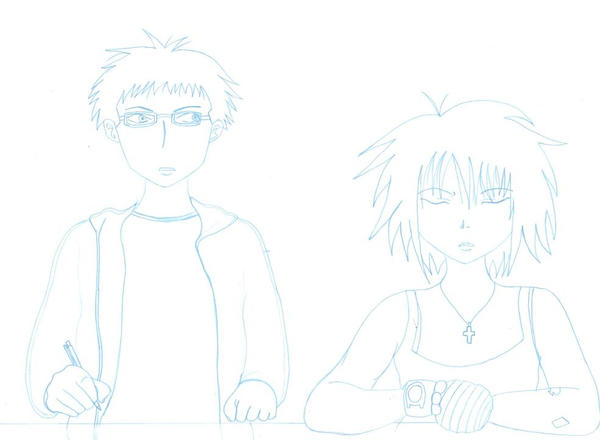
A couple of rough sketches I did a short while ago in my trademark blue pencil. XD

Sketch for a comic I'm working on titled; Grand Theft Auto: Shopmobility.

Part of a Devil May Cry 4 ditty titled; Wankers Cramp.
 

Zemalac

New member
Apr 22, 2008
1,253
0
0
Labyrinth post=18.72805.783399 said:
Zemalac post=18.72805.782911 said:
Well, I don't have much of my stuff at hand, but I suppose I could put up something...


I'd love to claim that I inked this by hand. Most of it was done in Photoshop (man, I love that program).
That's some pretty awesome stuff there, even if it was done in photoshop. Excellent use of that one bit of colour. Really focuses the eye there.
Feedback! Excellent! I'd give some in return, but I'm not that much of an art critic. All I can say is that your drawings are vaguely creepy and well drawn. Not particularly helpful.

I'll try to scrounge up some more of my stuff. This cascade of awesomeness being posted is making me want to show off by own works.
 

Dr Pussymagnet

a real piece of shit
Dec 20, 2007
1,242
0
0
Sorry to have to ask again, but I just really want to know how to post my own pictures, can someone please tell me?
 

NewClassic_v1legacy

Bringer of Words
Jul 30, 2008
2,484
0
0
mydogisblue post=18.72805.784998 said:
Sorry to have to ask again, but I just really want to know how to post my own pictures, can someone please tell me?
I wrote a guide for that on a thread that is now locked. Feel free to take a look at it, though.

http://www.escapistmagazine.com/forums/jump/18.71817.749524
 

Dr Pussymagnet

a real piece of shit
Dec 20, 2007
1,242
0
0
NewClassic post=18.72805.785123 said:
I wrote a guide for that on a thread that is now locked. Feel free to take a look at it, though.

http://www.escapistmagazine.com/forums/jump/18.71817.749524
[http://img220.imageshack.us/my.php?image=002nj4.jpg]
[http://g.imageshack.us/thpix.php]
Ok thanks. I'm pretty sure I did something wrong though.

...I've drawn better...
 

fulano

New member
Oct 14, 2007
1,685
0
0
How do I upload a picture?

I wanted to upload a cartoonized drawing I made so I could get some feedback. It was very minimal and lacking in detail but still, problem is that I'm stumped and I can't seem to figure how to.
 

NewClassic_v1legacy

Bringer of Words
Jul 30, 2008
2,484
0
0
unabomberman post=18.72805.785170 said:
How do I upload a picture?

I wanted to upload a cartoonized drawing I made so I could get some feedback. It was very minimal and lacking in detail but still, problem is that I'm stumped and I can't seem to figure how to.
Okay, lemme re-post it.

I'm going to assume you will use ImageShack [http://imageshack.us/].

Step 1 [http://i15.photobucket.com/albums/a395/NewClassic/Silly/lolwut/img1.jpg]: Open Imageshack's main page, press 'Browse.' (Shown Underlined in Red)

Step 2 [http://i15.photobucket.com/albums/a395/NewClassic/Silly/lolwut/img2.jpg]: The browse folder should open, find the file where your picture is saved. Select it, and press 'Open.'

Step 3 [http://i15.photobucket.com/albums/a395/NewClassic/Silly/lolwut/img1.jpg]: Down at the bottom of the page (shown underlined in green), press 'Host It.'

Step 4 [http://i15.photobucket.com/albums/a395/NewClassic/Silly/lolwut/img3.jpg]: This page should appear. If it does, then you've done everything correctly. If it does not, but the page that comes up is an advertisement, check your tabs and task bar. Imageshack redirects to advertisements. If that is not the case, return to Step 1.

Step 5 [http://i15.photobucket.com/albums/a395/NewClassic/Silly/lolwut/img4.jpg]: Scroll down until you see the line labeled "Show image to friends", shown boxed in red. Highlight, and copy, the text in that line. (Right-Click > Copy OR Ctrl + C OR Apple + C (for Macs))

Step 6 [http://i15.photobucket.com/albums/a395/NewClassic/Silly/lolwut/img5.jpg]: Put the link provided inside of image tags as shown. This should appear like so:
[IMG]http://img353.imageshack.us/my.php?image=gravityqg1.jpg [http://img353.imageshack.us/my.php?image=gravityqg1.jpg][/IMG]

[sup]Make a note that all forum tags such as [img][/img] can be all-uppercase or all-lowercase, but must remain uniform. The tag: [img]http://www.quotationspage.com/tag3.gif[/IMG] will not work because the beginning and end tags are different.[/sup]

mydogisblue post=18.72805.785165 said:
...I've drawn better...
Aside from the fact that that image is X-Box Huge, let's see. Your line work is very... I'm not sure. Scratchy. I feel like it could benefit from some fluidity. When you do your outlines, do you generally use long, smooth strokes, or short, scratchy lines to compose a larger line?

Frankly, the former is much better for inking, and usually makes the piece look that much cleaner. Otherwise, a very Sonic-the-Hedgehog-esque style, which is kinda neat, but not a lot to comment on, artistically. The arms look thin, the design is bland and uninteresting, and the foot on the left (his right foot) looks like it's on a different slope than the on on the right (his left). Also, huge hands, feet, and head, tiny everything-else. Also, the gun looks 2D.

It would help me a lot if I saw a piece you really, really worked hard on (shading et al) so I could figure out which parts need the most improvement. I can only note surface details with that.
 

Dr Pussymagnet

a real piece of shit
Dec 20, 2007
1,242
0
0
NewClassic post=18.72805.785220 said:
unabomberman post=18.72805.785170 said:
How do I upload a picture?

I wanted to upload a cartoonized drawing I made so I could get some feedback. It was very minimal and lacking in detail but still, problem is that I'm stumped and I can't seem to figure how to.
Okay, lemme re-post it.

I'm going to assume you will use ImageShack [http://imageshack.us/].

Step 1 [http://i15.photobucket.com/albums/a395/NewClassic/Silly/lolwut/img1.jpg]: Open Imageshack's main page, press 'Browse.' (Shown Underlined in Red)

Step 2 [http://i15.photobucket.com/albums/a395/NewClassic/Silly/lolwut/img2.jpg]: The browse folder should open, find the file where your picture is saved. Select it, and press 'Open.'

Step 3 [http://i15.photobucket.com/albums/a395/NewClassic/Silly/lolwut/img1.jpg]: Down at the bottom of the page (shown underlined in green), press 'Host It.'

Step 4 [http://i15.photobucket.com/albums/a395/NewClassic/Silly/lolwut/img3.jpg]: This page should appear. If it does, then you've done everything correctly. If it does not, but the page that comes up is an advertisement, check your tabs and task bar. Imageshack redirects to advertisements. If that is not the case, return to Step 1.

Step 5 [http://i15.photobucket.com/albums/a395/NewClassic/Silly/lolwut/img4.jpg]: Scroll down until you see the line labeled "Show image to friends", shown boxed in red. Highlight, and copy, the text in that line. (Right-Click > Copy OR Ctrl + C OR Apple + C (for Macs))

Step 6 [http://i15.photobucket.com/albums/a395/NewClassic/Silly/lolwut/img5.jpg]: Put the link provided inside of image tags as shown. This should appear like so:
[IMG]http://img353.imageshack.us/my.php?image=gravityqg1.jpg [http://img353.imageshack.us/my.php?image=gravityqg1.jpg][/IMG]

[sup]Make a note that all forum tags such as [img][/img] can be all-uppercase or all-lowercase, but must remain uniform. The tag: [img]http://www.quotationspage.com/tag3.gif[/IMG] will not work because the beginning and end tags are different.[/sup]

mydogisblue post=18.72805.785165 said:
...I've drawn better...
Aside from the fact that that image is X-Box Huge, let's see. Your line work is very... I'm not sure. Scratchy. I feel like it could benefit from some fluidity. When you do your outlines, do you generally use long, smooth strokes, or short, scratchy lines to compose a larger line?

Frankly, the former is much better for inking, and usually makes the piece look that much cleaner. Otherwise, a very Sonic-the-Hedgehog-esque style, which is kinda neat, but not a lot to comment on, artistically. The arms look thin, the design is bland and uninteresting, and the foot on the left (his right foot) looks like it's on a different slope than the on on the right (his left). Also, huge hands, feet, and head, tiny everything-else. Also, the gun looks 2D.

It would help me a lot if I saw a piece you really, really worked hard on (shading et al) so I could figure out which parts need the most improvement. I can only note surface details with that.

Thanks for the advice. Like I said, I've drawn better and I'm hoping to post a picture soon that I actually took the time to draw, which I should still have somewhere...unless I threw them away...

But yeah Sonic is very, very easy for me to draw, if I took more time it obviously would've looked much better, this one was just meant to humour my friends so it should come across as kind of crappy.
 

fulano

New member
Oct 14, 2007
1,685
0
0
Thanks NewClassic.

Image below

Got it done in a few minutes. It's very, very minimum cartoonized linework. Tell me what you think people.

Note: The hands are fugly, I know. Again, I was in a hurry and sketched it pretty quick.
 

Dr Pussymagnet

a real piece of shit
Dec 20, 2007
1,242
0
0

Here NewClassic, here's a better one that I drew. It's Niko.

Anyways I don't have a friggin' scanner or whatever, so I just took a picture of it with my camera so please just excuse how bad it kind of came out. Believe me it looks ALOT better if you saw it in person.
 

NewClassic_v1legacy

Bringer of Words
Jul 30, 2008
2,484
0
0
mydogisblue post=18.72805.785390 said:

Here NewClassic, here's a better one that I drew. It's Niko.

Anyways I don't have a friggin' scanner or whatever, so I just took a picture of it with my camera so please just excuse how bad it kind of came out. Believe me it looks ALOT better if you saw it in person.
The attention to detail is nice, especially where the jacket and gloves are concerned. The face and anatomy, on the other hand, need some work, although those are always hard. My best advise is to always look at what you're drawing.

The thing about people is we have pre-conceived notions about what something is. If it looks like something, then it probably is. In our minds, they become symbols. The problem is when translating into artwork, we draw symbols. Instead of doing that, draw what you see, and only what you see. Pretend it's something completely foreign, and you're entirely unfamiliar with it. Every detail, every shadow and highlight, form and shape, is new and alien. Look to see exactly how to represent it. Don't draw what you think you see, draw what you see.

Hope that made sense. Hope even more that it helped. Oh, and don't be afraid to get the hair more definition, it will really fix some of the more distracting errors of the artwork itself.
 

ThaBenMan

Mandalorian Buddha
Mar 6, 2008
3,682
0
0
Has anybody looked at my stuff? :( The link is back on pg. 2... it's cool, though. It sucks.


 

Alliecat

New member
Sep 16, 2008
26
0
0
TheNecroswanson post=18.72805.783517 said:
Alliecat post=18.72805.783451 said:
For other photoshop users: Be warned! Filters aren't that cool. They are a trap!
Don't know what you mean. This is my fourth image using photoshop's filters and it's worked fine for me so far. I wanted the image to look like a comicesque night scene. It had a fully set up background and everything. I'm pleased with how they worked to create light, shadow, and simulate the visibility of objects in darkness with a light source. Though the light source was a little strong but that was my errror.

Also, I checked out your, I think it was yours, DA, and though I liked it, it fealt too contemporary.
Photoshop filters canbe nice- if you adjust them, and use them sparingly. Using them a lot or as a main part of your picture just shouts out -noob-. (in my opinion, of course)
Contemporary? Can you explain a bit what you mean by that?
 

Enskie

New member
Jun 11, 2008
61
0
0
I'm really new to this ok, how do I use the spoiler thing? Also, how do you post pictures without linking to Photobucket etc?
 

NewClassic_v1legacy

Bringer of Words
Jul 30, 2008
2,484
0
0
Enskie post=18.72805.785660 said:
I'm really new to this ok, how do I use the spoiler thing? Also, how do you post pictures without linking to Photobucket etc?
For the complete guide:
I'm going to assume you will use ImageShack [http://imageshack.us/].

Step 1 [http://i15.photobucket.com/albums/a395/NewClassic/Silly/lolwut/img1.jpg]: Open Imageshack's main page, press 'Browse.' (Shown Underlined in Red)

Step 2 [http://i15.photobucket.com/albums/a395/NewClassic/Silly/lolwut/img2.jpg]: The browse folder should open, find the file where your picture is saved. Select it, and press 'Open.'

Step 3 [http://i15.photobucket.com/albums/a395/NewClassic/Silly/lolwut/img1.jpg]: Down at the bottom of the page (shown underlined in green), press 'Host It.'

Step 4 [http://i15.photobucket.com/albums/a395/NewClassic/Silly/lolwut/img3.jpg]: This page should appear. If it does, then you've done everything correctly. If it does not, but the page that comes up is an advertisement, check your tabs and task bar. Imageshack redirects to advertisements. If that is not the case, return to Step 1.

Step 5 [http://i15.photobucket.com/albums/a395/NewClassic/Silly/lolwut/img4.jpg]: Scroll down until you see the line labeled "Show image to friends", shown boxed in red. Highlight, and copy, the text in that line. (Right-Click > Copy OR Ctrl + C OR Apple + C (for Macs))

Step 6 [http://i15.photobucket.com/albums/a395/NewClassic/Silly/lolwut/img5.jpg]: Put the link provided inside of image tags as shown. This should appear like so:
[IMG]http://img353.imageshack.us/my.php?image=gravityqg1.jpg [http://img353.imageshack.us/my.php?image=gravityqg1.jpg][/IMG]

[sup]Make a note that all forum tags such as [img][/img] can be all-uppercase or all-lowercase, but must remain uniform. The tag: [img]http://www.quotationspage.com/tag3.gif[/IMG] will not work because the beginning and end tags are different.[/sup]

For the short guide:
If you have the direct URL for the image, the it's just pasting it between image tags. For example:
[IMG]http://img353.imageshack.us/my.php?image=gravityqg1.jpg[/IMG]

For spoiler tags, it's like images, just with "spoiler" for example:
[spoiler]blah blah[/spoiler] will yield:
blah blah

To have text, include it after the word but still in the tag, like so:
[spoiler=Blah blah before click]Blah blah after click[/spoiler] will yield:
Blah blah after click

Hope that helps.
 

Enskie

New member
Jun 11, 2008
61
0
0
NewClassic post=18.72805.785667 said:
Enskie post=18.72805.785660 said:
I'm really new to this ok, how do I use the spoiler thing? Also, how do you post pictures without linking to Photobucket etc?
For the complete guide:
I'm going to assume you will use ImageShack [http://imageshack.us/].

Step 1 [http://i15.photobucket.com/albums/a395/NewClassic/Silly/lolwut/img1.jpg]: Open Imageshack's main page, press 'Browse.' (Shown Underlined in Red)

Step 2 [http://i15.photobucket.com/albums/a395/NewClassic/Silly/lolwut/img2.jpg]: The browse folder should open, find the file where your picture is saved. Select it, and press 'Open.'

Step 3 [http://i15.photobucket.com/albums/a395/NewClassic/Silly/lolwut/img1.jpg]: Down at the bottom of the page (shown underlined in green), press 'Host It.'

Step 4 [http://i15.photobucket.com/albums/a395/NewClassic/Silly/lolwut/img3.jpg]: This page should appear. If it does, then you've done everything correctly. If it does not, but the page that comes up is an advertisement, check your tabs and task bar. Imageshack redirects to advertisements. If that is not the case, return to Step 1.

Step 5 [http://i15.photobucket.com/albums/a395/NewClassic/Silly/lolwut/img4.jpg]: Scroll down until you see the line labeled "Show image to friends", shown boxed in red. Highlight, and copy, the text in that line. (Right-Click > Copy OR Ctrl + C OR Apple + C (for Macs))

Step 6 [http://i15.photobucket.com/albums/a395/NewClassic/Silly/lolwut/img5.jpg]: Put the link provided inside of image tags as shown. This should appear like so:
[IMG]http://img353.imageshack.us/my.php?image=gravityqg1.jpg [http://img353.imageshack.us/my.php?image=gravityqg1.jpg][/IMG]

[sup]Make a note that all forum tags such as [img][/img] can be all-uppercase or all-lowercase, but must remain uniform. The tag: [img]http://www.quotationspage.com/tag3.gif[/IMG] will not work because the beginning and end tags are different.[/sup]

For the short guide:
If you have the direct URL for the image, the it's just pasting it between image tags. For example:
[IMG]http://img353.imageshack.us/my.php?image=gravityqg1.jpg[/IMG]

For spoiler tags, it's like images, just with "spoiler" for example:
[spoiler]blah blah[/spoiler] will yield:
blah blah

To have text, include it after the word but still in the tag, like so:
[spoiler=Blah blah before click]Blah blah after click[/spoiler] will yield:
Blah blah after click

Hope that helps.
Thank you, I was hitting F5 every few seconds, waiting for somebody to respond, I'm kinda hyped up on caffeine right now, so yeah, thank you again, very much appreciated.
 

the monopoly guy

New member
May 8, 2008
2,276
0
0
ThaBenMan post=18.72805.785515 said:
Has anybody looked at my stuff? :( The link is back on pg. 2... it's cool, though. It sucks.

I don't think anyone looked at mine either. They were bad but at least the last one was ok. I think.
 

Shirahime

New member
Sep 8, 2008
124
0
0
the monopoly guy post=18.72805.785691 said:
ThaBenMan post=18.72805.785515 said:
Has anybody looked at my stuff? :( The link is back on pg. 2... it's cool, though. It sucks.
I don't think anyone looked at mine either. They were bad but at least the last one was ok. I think.
I'm more worried about the fact that half of my stuff is unfinished. But that's my fault.